Zildjian Alchem-e Kit: Part II
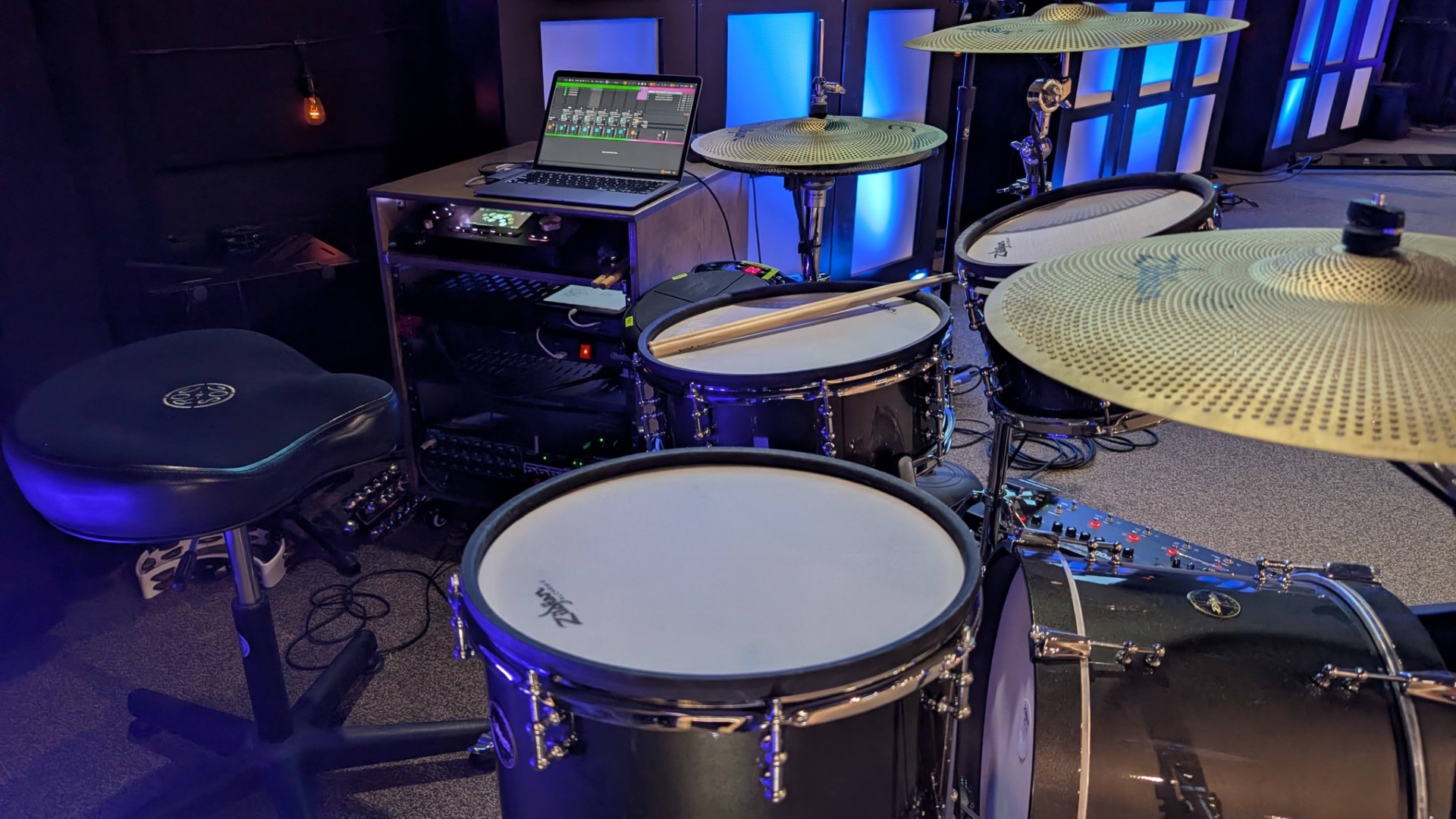
Well, we're keeping the electronic drums. Most of the gripes I mentioned in my last article have been resolved, and the improvement that the drums have contributed to our mix in the room have been undeniable. In this article I want to cover all the changes we've made over the past several weeks, as well as a few things we plan to do in the future.
First, here's a quick overview of what's changed:
- Contacted Zildjian support and received a new module, as well as some helpful tips
- Switched to Superior Drummer 3 running in Ableton Live instead of using analog outputs directly from the Zildjian module
- Moved our click track from Planning Center Music Stand to Ableton Live
- Added a 12U rack to clean up gear/cabling
- Added a USB Midi interface to solve a couple problems
- Upgraded the hi-hat and kick pedal
Now let's get into the details.
Table of Contents
Zildjian Support
After a few tries, I finally got on the phone with someone at Zildjian (shout out to Brian!) and had an incredibly helpful conversation. First, he confirmed that the temperature-related triggering issues I was having were NOT normal, and promptly shipped out a new module to me, even before I shipped the old module back. But the most encouraging part to me was his desire to get the problematic module returned so he could open it up and figure out what was going on. This makes me far more confident in their long-term commitment to making this product as good as possible. And I'm happy to report that the new module has been flawless.
He also was able to answer some other questions I had and gave me a few tips. For example, he explained that the RJ45 jack on the crash cymbal is known to get a bit loose and this can cause some unintentional muting of the cymbal. While they're working on a software fix to mitigate the problem, he also explained how to create a fix with some carefully placed tape to firmly hold the connector in place. Problem solved.
I had also explained the inconsistently with cross-stick triggering that we experienced, and he said that keeping the stick off of the head (instead spanning rim-to-rim) will give much better accuracy. I've also found that simply playing the rim instead of using traditional cross-stick technique works really well too.
All this to say, I came away from our phone call (and a few follow-up emails) feeling like he was invested in the Alchem-e line and was willing to help make our experience with it a positive one.
Ableton Live & Superior Drummer 3
This is where things get fun. I took advantage of a sale at Toontrack to snag a copy of Superior Drummer 3 (referred to as SD3 from here on) and this REALLY opened up the sound of the drums. While I was already very familiar with EZDrummer 3, Superior Drummer 3 takes control and nuance to a completely different level. The sheer number of samples they use is astounding. For example, you can control the exact amount of mic bleed from any drum into any mic. This results in an incredibly natural sound that really helped make the transition from acoustic drums to edrums easier.
For the first few weeks with the edrums, both with the Zildjian module and with Superior Drummer 3, I tried sending isolated, close-mic'd, processed (with compression and EQ) sources to our FOH mix. But all this isolation and polish caused the drums to not sit quite right in the room. They were TOO pristine. However, once I enabled the mic bleed on each drum and switched to minimal processing within SD3, relying instead on processing at our FOH console, the drums suddenly felt far more natural in the room. They also became easier for our sound techs to mix.
Looking back, this makes total sense. Acoustic drums aren't isolated instruments and they don't process themselves. So by letting SD3 emulate the nuances of a real kit in a real room, it ended up very similar to mixing our acoustic kit, just without the noise from the kit itself.
One other weird thing I've noticed since moving to SD3: our drummers aren't tweaking trigger settings nearly as much as when we were using the sounds from the Zildjian module. This could be that they are all just adapting their playing to the kit instead of just trying to adapt the kit to their playing. But it could also be that the SD3 samples themselves elicit a different response from the drummers - one that maybe feels more natural. At this point we've completely forgotten about recalling trigger presets for each drummer and have settled on a single preset that everyone uses. That's one less thing to worry about it.
Routing Notes
Now, let's pause and take a moment to discuss some routing. I initially started by running SD3 stand-alone on an M1 MacBook Air (because it was readily available). I didn't have an audio interface with enough analog outputs on hand, so instead I installed Dante Virtual Soundcard (DVS) on the Mac and routed outputs from SD3 to the rest of our sound system via Dante. This isn't ideal, because DVS introduces more latency (a minimum of 4ms) than a good quality USB/Thunderbolt audio interface would, but it was good enough for testing. And yes, you definitely get a snappier feel going direct from the Zildjian module than from SD3 with DVS, but none of our drummers have complained about it - it's totally useable, provided the rest of your system doesn't have a lot of latency introduced at other points in the chain.
The bigger problem is the simplistic nature of output routing options in SD3. Yes, you can create subgroups in the SD3 mixer, but it's not great about remembering what audio interface is connected and what mix outputs should be assigned to that interface, especially when things aren't turned on in the right order. Another downside is that there's no MIDI control over switching kits in SD3. So if we wanted to swap out the snare sample for one song, we'd have to click around in the SD3 interface to switch it manually - not ideal for a quick turnaround between songs.
The solution was to run SD3 as a VST inside of Ableton Live. Not only does this provide a lot more routing flexibility, stability, and MIDI control, but it also provided an opportunity for us to move our click track from the basic functionality in Planning Center Music Stand to the open-ended flexibility of Ableton Live.
NOTE: I've been using Ableton Live Lite (the free version included with many hardware products). While it's limited to eight tracks, it's been perfect for our six channels of drums plus a click track. Alternatively, the "Intro" version of Ableton is typically $99 and, despite being the cheapest paid version the Ableton series, still provides more functionality that the Lite version and would be more than sufficient to get started.
I won't go into detail about setting up SD3 in Ableton Live, or even setting up the click (though perhaps in future articles), but suffice it to say that this combination has been running solidly for the past several weeks. It gives us the ability to:
- Run multiple instances of SD3 in Ableton Live so we can have completely different kits ready to play, switchable with a simple MIDI trigger.
- Have pre-programmed clicks for each song, each with its own tempo subdivision (something Music Stand can't do)
- Control start/stop/next/prev click in Ableton with an external drum pad trigger
- Music Stand can do this, but unlike Music Stand, hitting the pad causes the click to respond instantly in Ableton, not half a second later like in Music Stand. This makes it easy to restart the click while the band is still playing in the event that they stray from the click or lose the down beat.
MIDI Input & Cymbal Chokes
The Zildjian Alchem-e module has both USB-C MIDI and traditional MIDI I/O via 5-pin DIN connectors. Initially I was using USB-C direct into the MacBook, and selecting the Zildjian module as the MIDI input inside SD3. This generally worked, but with a few caveats.
First, there is a Zildjian MIDI-Map built into SD3, but I found that it wasn't completely accurate. However, after a quick search, I found a user-made preset (albeit for the Alchem-e Bronze variant) on the Toontrack community forum that worked flawlessly. Of course you can always take the time to manually map every trigger from the Alchem-e into SD3, but using a pre-made MIDI map saves a lot of time.
Second, while cymbal chokes worked fine in SD3 standalone, they did NOT work when SD3 was loaded as a VST in Ableton. After some internet sleuthing, I found that this is a known issue with the way Ableton filters certain MIDI messages. I think I have a workaround using a hardware USB MIDI interface (the H2MIDI Pro by CME) to filter messages sent from the Zildjian to Ableton, but it still needs some more testing. I'll report back once that's completely figured out.
Cleanup and Cabling
All of the new cabling, the laptop, MIDI cables, etc. were starting to look a bit unsightly. I'm a big fan of keeping things tidy, but I also don't like doing things twice, so I wanted to wait until I was pretty confident of what gear we'd be using long-term with our new edrum setup.
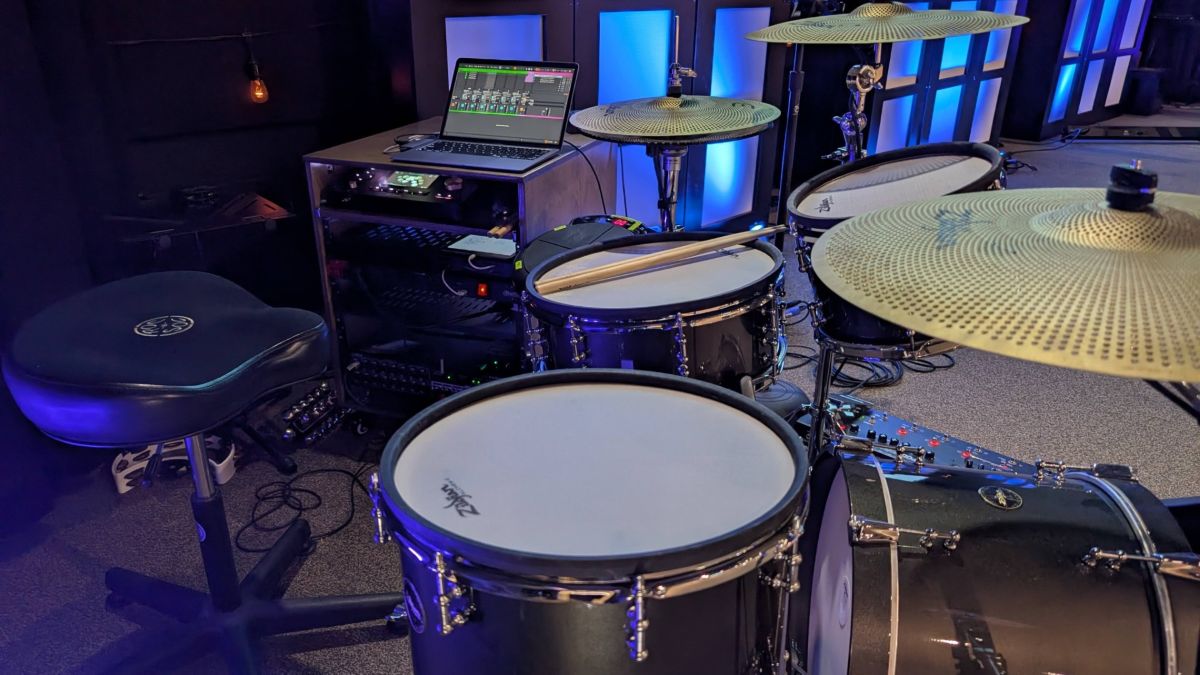
I ended up getting a 12U rack with a pull out drawer at the top. This allowed me to cleanly route all cabling within the rack, and keeps the laptop, the Zildjian module, and an iPad (for Music Stand and IEM mix control) within easy reach for the drummer. I also took the opportunity to swap our aging kick and hi-hat pedal with some much more solid DW 5000 series hardware.
What's next?
While the current setup is functional, it still feels fragile.
- The USB-C hub connected to the Macbook occasionally loses connections to certain ports.
- The Macbook, while plenty fast, is limited on RAM, and SD3 can (if given leave) use lots of RAM.
- Dante Virtual Soundcard introduces more latency than I'd like.
- There's no failover plan if the laptop or any software crashes.
In order to make the system more robust, I'm planning to swap the MacBook for a Mac Mini. This will give me the opportunity to create a system with more RAM so I can easily run several instances of SD3 simultaneously within Ableton Live and still have room for other virtual instruments if needed. It will allow me to bypass a USB-C hub and connect all important peripherals directly to the Mac to minimize any potential connection issues.
I'm also planning to swap Dante Virtual Soundcard with a hardware audio interface - either an RME Digiface Dante or an RME Digiface USB (ADAT I/O) paired with a Ferrofish Pulse 8 AE (ADAT & analog I/O). The Digiface Dante would provide the lowest latency since there would be no additional D/A or A/D conversion involved. It would also give me a Dante-routable headphone output directly on the interface that I could use for the drummer's IEM mix.
However, the Digiface USB + Pulse 8 AE combo makes redundancy far easier. By default, I could route SD3 outputs via Ableton Live to the Digiface USB, then to the Pulse 8 AE via ADAT. Then the signal would be sent out of the Pulse 8 AE's analog outputs into our Tio1608. As a failsafe, I could route the Zildjian module outputs to the Pulse 8 AE's analog inputs. Then, with a simple MIDI trigger, I could swap the Pulse 8 AE's outputs from the ADAT sources (from SD3) to the analog sources (from the Zildjian module). If the computer ever failed, or Ableton crashed, we'd be back up and running (though with different sounding drums) in seconds. This option is also several hundred dollars cheaper, so that's a win.
Other than new hardware, the biggest next step is training. Sound techs need time and practice to get used to mixing drums when there's no acoustic energy coming from the kit itself. We've multi-tracked several of our recent Sunday services to use for training. Having these multi-track recordings makes it easy to loop sections of songs, make adjustments to EQ, level, compression, etc., and know that the mix changes you are making will sound exactly the same on Sunday morning.
Conclusion
I didn't expect to be enjoying these drums as much as I have. While not perfect, they've provided definitive benefits to our mix on Sunday mornings, and our drummers have adapted incredibly quickly. I'm also excited to see what updates Zildjian continues to push in the coming months and years.
I'd love to hear your experiences with the kit if you've spent some time with it, and if you have any questions, I'm happy to continue this conversation by email ([email protected]).
Gear Used For This Project
- Zildjian Alchem-e Gold - the e-drum kit
- Superior Drummer 3 - provides the samples triggered by the Zildjian kit
- Ableton Live - hosts Superior Drummer 3 and provides the click track
- H2MIDI Pro - USB MIDI host to filter MIDI messages from the e-kit
- KAT Percussion KTMP1 Multipad - used to quickly start/stop click and advance to the next click track
- SoundTown 10U Rack - helped clean up all the gear/cabling for the e-kit